 Client Portal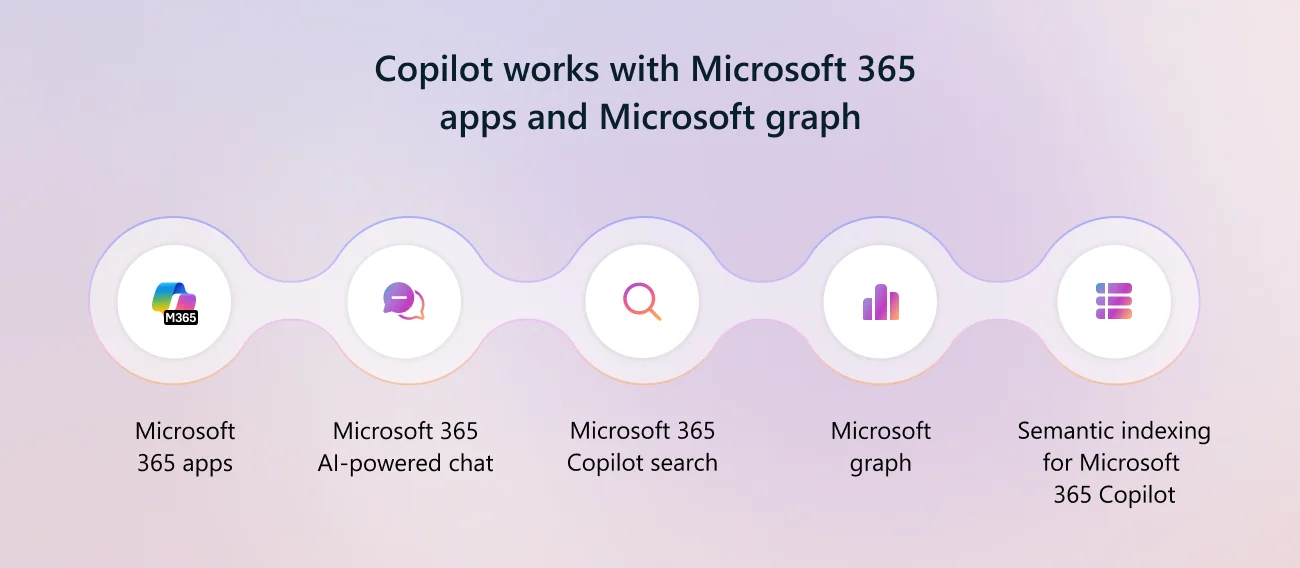
Key takeaways
- Copilot's difference from public AI tools is where it lives: inside Word, Excel, Outlook and Teams, working on your own files.
- Your data stays your data: prompts and content remain within your Microsoft 365 tenant rather than training public models.
- It is built to be managed, so administrators control who has it and what it can reach.
- It has real limits, and knowing them is part of deploying it well.
For two years, conversations about AI in Australian SMBs have followed a familiar pattern. A business owner sees the potential. The team experiments with ChatGPT or one of the other consumer tools. Sensitive information starts going into prompts the business has no control over. The conversation about governance gets postponed. And then, eventually, someone asks: is this safe? Can we actually use this for the real work?
For most businesses on Microsoft 365, the honest answer is now yes, and the path is short. Microsoft 365 Copilot, layered into the tools your team already uses, is the simplest and most secure way to bring AI into the work your business actually does.
What makes Copilot different from the public AI tools
Three things separate Microsoft 365 Copilot from the consumer AI options that have dominated the conversation since 2023:
1. It lives where the work lives
Copilot is not a separate site to visit or a chatbot to copy-paste into. It is inside Outlook, Word, Excel, PowerPoint, Teams and SharePoint, with the same data your team already has access to. The AI is part of the workflow, not adjacent to it. A summary of a long email thread happens in Outlook. The first draft of a proposal happens in Word. The pivot of a complicated spreadsheet happens in Excel.
For most people, learning a new AI tool from scratch is the friction. Removing that friction is most of why Copilot adoption lands inside a business in a way that standalone AI tools usually do not.
2. Your data stays your data
This is the part that matters most for any business handling client information, regulated data, or commercially sensitive material. Microsoft’s commitment on Copilot data handling is specific:
- Your prompts, your inputs and the responses generated are never used to train Microsoft’s models
- Copilot inherits your Microsoft 365 permissions, which means it can only surface information a given user is already entitled to see
- It respects sensitivity labels and retention policies already applied to your documents
- It operates inside your Microsoft 365 tenant boundary, not outside it
The practical implication: a user asking Copilot to summarise the client folder they have access to gets a clean summary. The same user asking about a folder they do not have access to gets nothing. Information governance does not break because AI is in the room. That is the part the consumer AI tools were never going to solve for an SMB on their own.
3. It is built to be managed
Copilot can be rolled out, scoped, audited and turned off in parts of the business as needed. Sensitivity labels can be tuned. Specific apps can be restricted. Adoption can be staged from a small pilot to the whole team. None of this is possible with a Bring-Your-Own-AI approach, where the business has no view of what is happening and no way to act on it.
Where Copilot earns its keep
The headline claims about AI productivity have been mostly hot air. The honest version, based on what we see inside the AgileMANAGED client base, is that Copilot delivers measurable value in specific patterns:
- Email triage and summary. Long threads compressed into a paragraph. Replies drafted in your tone. The 30 minutes a day people lose to inbox management starts to come back
- Meeting capture. Teams meetings transcribed, summarised, and turned into actions automatically. The traditional friction of taking decent meeting notes goes away
- First-draft documents. A proposal, a policy update, a client brief. Copilot produces something to react to, which is faster than starting from a blank page
- Spreadsheet analysis. Asking questions of a complicated data set in plain English. Particularly useful for people who know what they want to learn but do not write formulas
- SharePoint and OneDrive search that actually works. "Find me the proposal we sent to that client about the warehouse upgrade." Copilot finds it. The old search bar never quite did
These are not exotic. They are practical, daily, specific. The compound effect over six months, across a team of 20, is real.
Where Copilot is honest about its limits
Two things worth saying out loud, because they get glossed over in vendor marketing:
1. Copilot is only as useful as the data behind it. If your SharePoint is a mess, your file naming is inconsistent, and your permissions are a snarl of historic decisions, Copilot will surface that. The first job in a deliberate Copilot rollout is to get the underlying environment into a state where the AI is reading clean, well-organised information. Done well, the rollout improves the foundation as much as it adds the AI.
2. Copilot does not replace judgement. The first-draft documents need review. The meeting summaries need a glance. The proposal Copilot writes is a starting point, not a finishing one. The teams that get the most out of it are the ones that treat it as an assistant, not as a colleague.
How Agile IT deploys Copilot inside AgileMANAGED
For AgileMANAGED clients, Copilot is delivered through the AgileAI service area as a deliberate, managed rollout. The shape of that work:
- Foundation check. Microsoft 365 sensitivity labels, sharing policies and tenant configuration audited and tightened where needed before Copilot licences turn on
- Pilot group. A small group of users brought onto Copilot first, with structured feedback on what is working and where the friction is
- Policy and training. An AI usage policy documented and shared with the team. Practical training that shows people what Copilot is good at, where to be careful, and what to do with the output
- Wider rollout. Licences expanded to the rest of the business once the pilot has confirmed the model works for your specific situation
- Ongoing review. Quarterly review of how Copilot is being used, whether the value is showing up, and what to adjust
That is the difference between buying Copilot licences and rolling Copilot out properly. The licence is the start of the project, not the end of it.
The bottom line
The "should we use AI in our business" question has, for most Microsoft 365 SMBs, moved past the philosophical stage. The technology exists, the security model is solid, and the productivity gains are real for specific workflows. The question worth asking now is not whether to adopt AI. It is whether to adopt it deliberately, with the governance and configuration that turn it from a risk into an asset.
Copilot, well-deployed inside a well-managed Microsoft 365 environment, is how that conversation lands for most of the Australian SMBs we work with.
The takeaway: Microsoft 365 Copilot is the simplest, most secure way to bring AI into a business already running on Microsoft 365, from a practice in Glen Waverley to a 40-seat firm on the Peninsula. The productivity gains are real, the data stays inside your tenant, and the rollout works best when it is deliberate.